

Pure Dhamma.
Zero noise.
Play your own talks and chanting — straight from your folders. No streaming, no algorithm, no account.

For chanting learners, Pāli students, retreat-goers, and teachers keeping an archive.
Three steps to a quiet library.
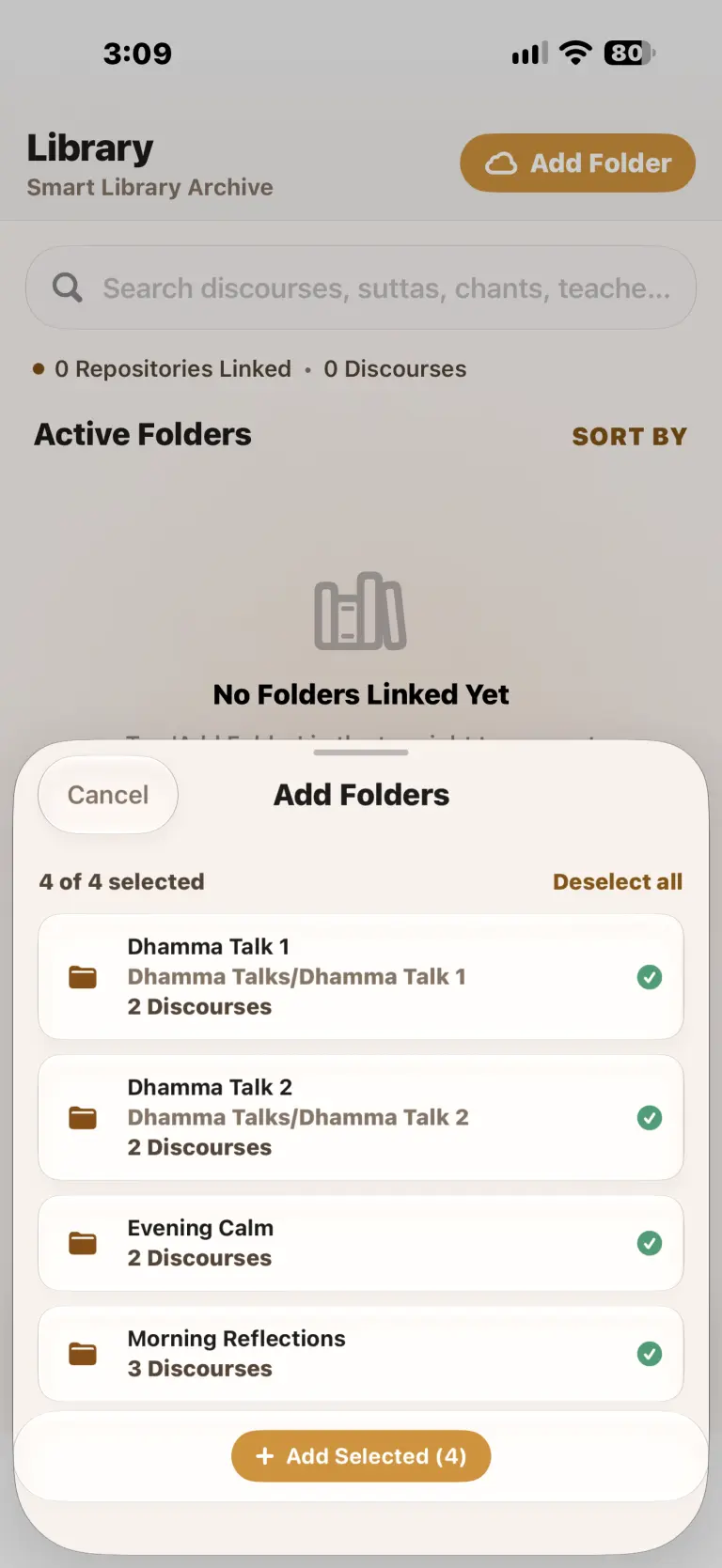
1Link a folder.
Pick a folder from iCloud Drive or your iPhone. Nested folders import in one tap.
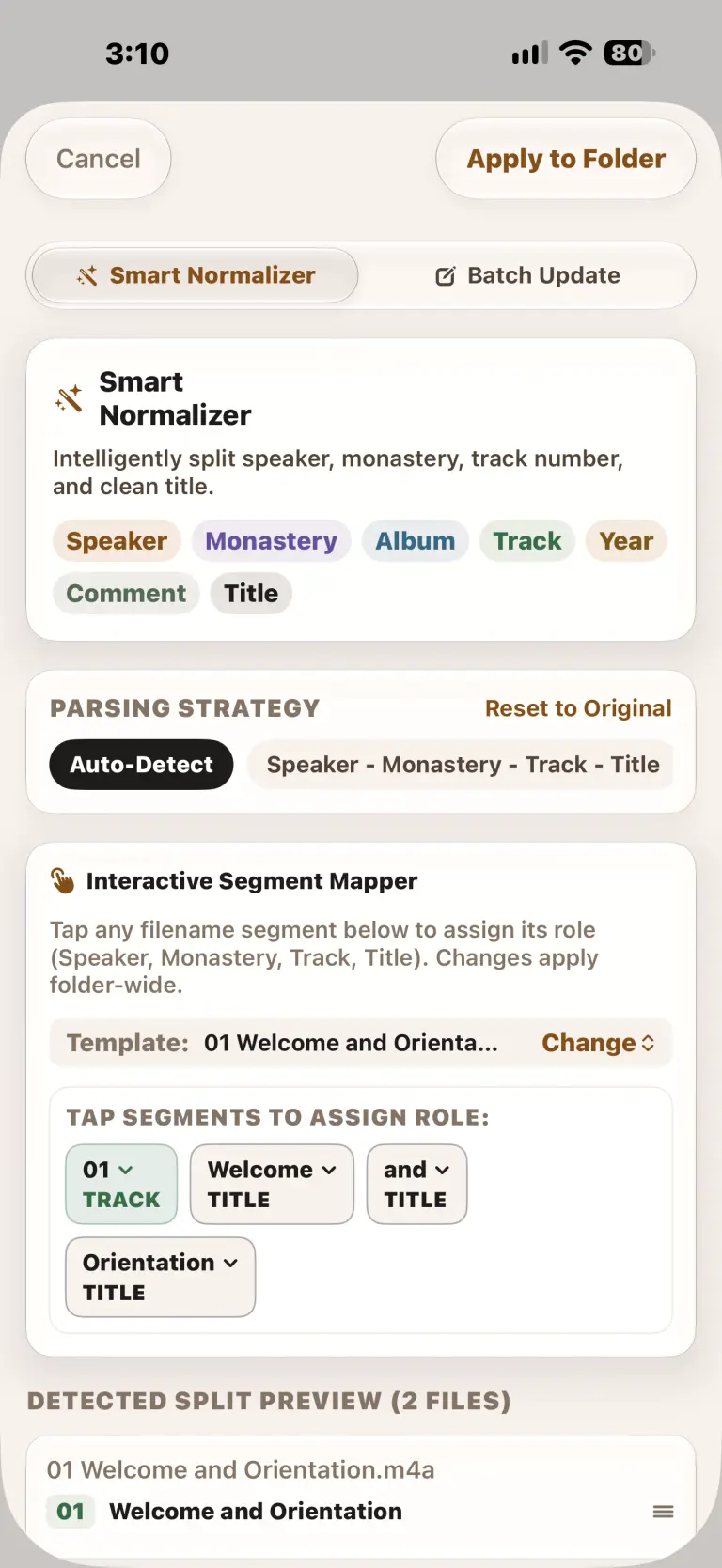
2Let titles tidy themselves.
Teacher, monastery, track number and year are read from the filename.
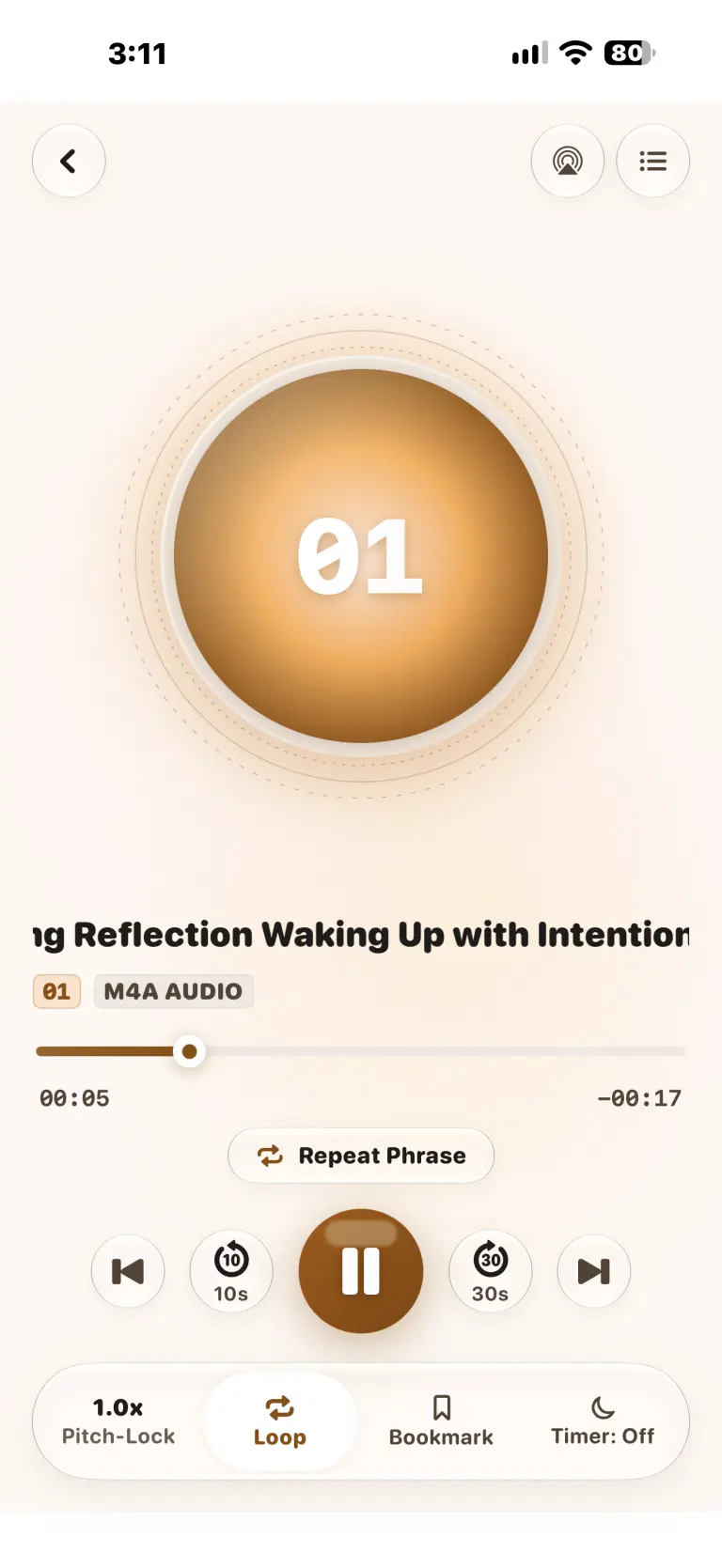
3Press play.
Loop a phrase, slow the pace, set a sleep timer — or just listen.
See the quiet for yourself
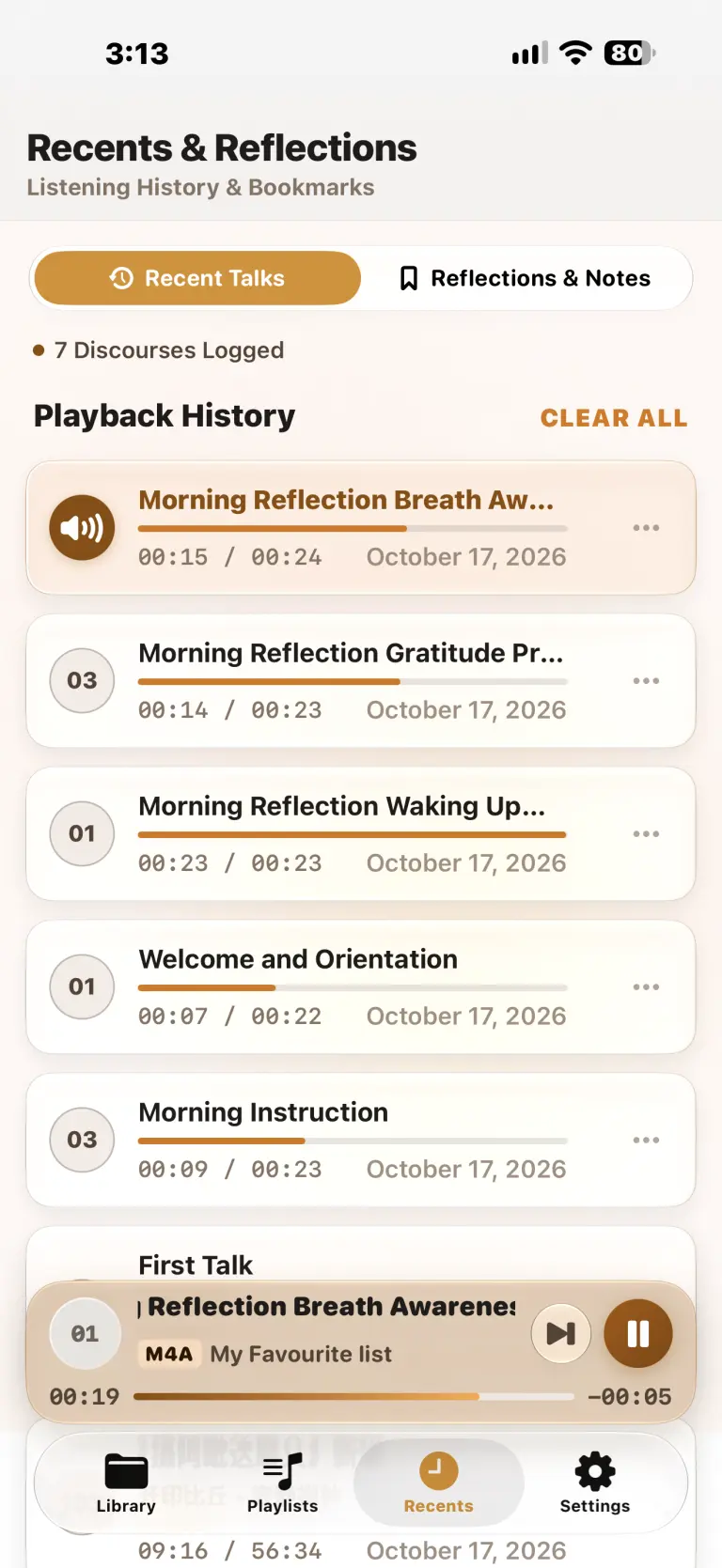
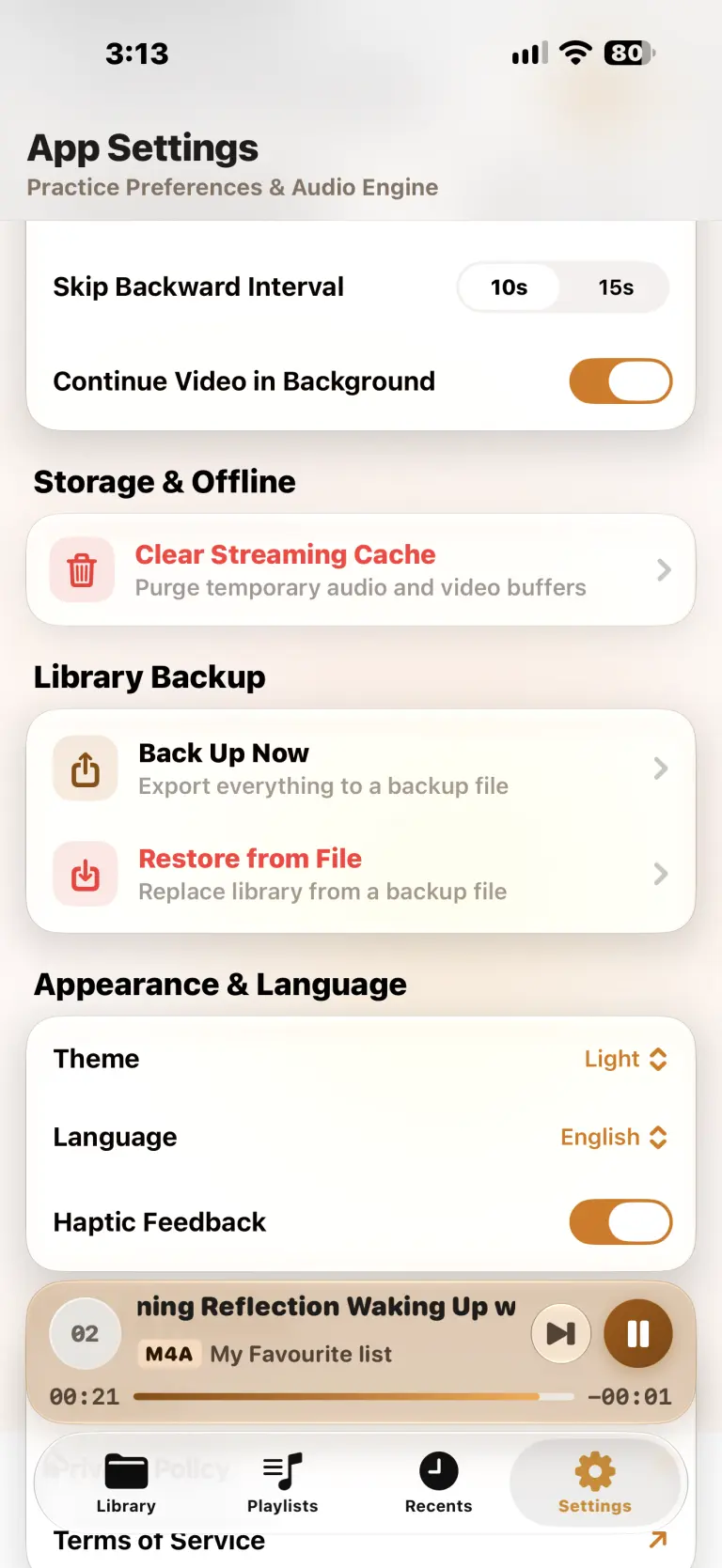
Actual app captures from iPhone and Android — library, player, playlists, and practice history.
Link Your Folders
Point at monastery archives in iCloud Drive — batch import with zero storage duplication.
Learn a chant one phrase at a time.
Tap A, tap B, and the phrase repeats until it sticks. Slow it down without changing the pitch.
Tap A at the start of the phrase.
Tap B at the end — it loops at once.
Drag the beads to fine-tune.
Long archive filenames, made readable.
Decades-old collections come with cryptic names. Sati Player picks out the teacher, monastery, track and year — and you can edit any of it. Your original files are never changed.
1998_03_Evening_Chanting_Track02.mp3
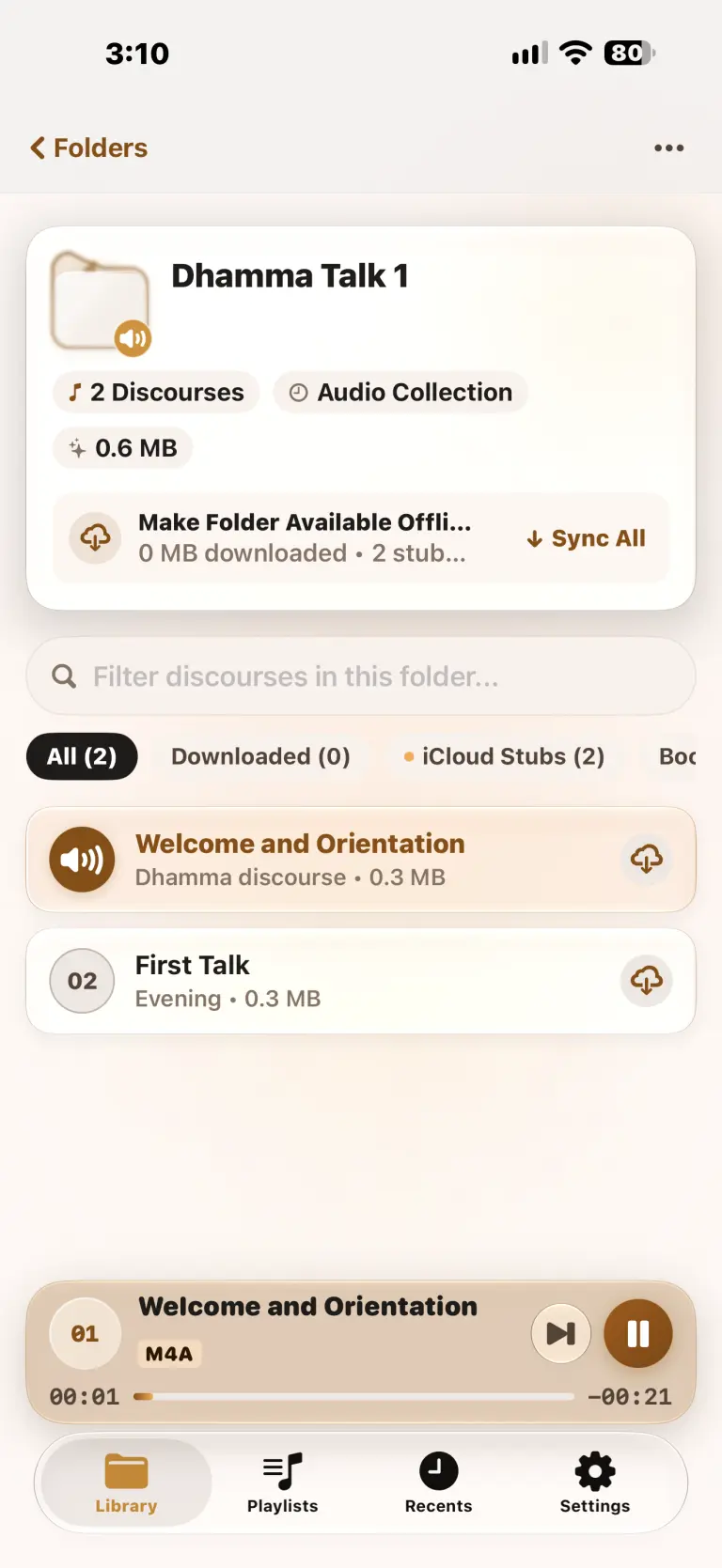
Download once. Listen anywhere.
Play from iCloud without copying files to your phone, or make a whole folder available offline in one tap before you leave signal behind.
Keep your practice together.
Build playlists for morning chanting or a talk series. Bookmark a moment and add a short reflection. Back everything up to one file.
- Playlists for chanting routines & talk series
- Timestamped bookmarks with reflection notes
- One-file backup & restore
Private by design.
Private.
No account. No ads. No tracking. Your files and notes stay on your device.
Video too.
Watch recorded talks with Picture-in-Picture, or lock the screen and keep listening.
Gentle sleep timer.
Volume fades to silence, then a singing-bowl chime.
Easy on battery.
Native playback keeps long talks light on power, even with the screen off.
Audio: MP3, M4A, AAC, ALAC, WAV, FLAC · Video: MP4, M4V, MOV · Speed 0.75×–1.5×, pitch preserved · iOS/iPadOS 17+ · English, 简体中文, 繁體中文
Questions.
Does it include Dhamma content?+
No. It plays the files you already have.
Do I need an account or internet?+
No. Internet is only needed for iCloud files not yet downloaded.
Will it change my files?+
No. Title edits are stored inside the app.
Can I move to a new phone?+
Yes — back up to one file and restore it.
Sati Player is an independent media player for personal study and listening. It offers no medical or therapeutic advice.
Get Sati Player
Officially available on the App Store for iPhone and iPad. Free, offline-first, and private by design.
iPhone · iPad
Requires iOS 17.0+. Your monastery library with A–B phrase loops, sleep timer, and video discourses — no account needed.
Requires iOS 17.0+ • 100% Free • Zero Ads • 100% Offline
Android
Join the tester group with your Play Store Google account
Join Tester GroupInstall the app from Google Play
Install on Google PlayApply for access to production
We need your help to bring Sati Player to Google Play! Before we can apply for production access, we must complete a 14-day closed test with at least 12 opted-in testers. Please join our testing group above to help us reach this milestone. Preview questions
Run your closed test with at least 12 testers, for at least 14 days
Just joined? Wait a few minutes, then tap Install again — Google needs time to unlock access.

